Skip to content

PKPASS Viewer: Open a .pkpass File in Your Browser

Drop in the .pkpass file from your email to see the pass and its barcode on any device, without uploading it anywhere.

Open a PKPASS file

or drag it here

Free, no sign-up. The file is read on your device and never uploaded.

Print-ready PDF export, from US$4.90 for 30 days. See pricing.

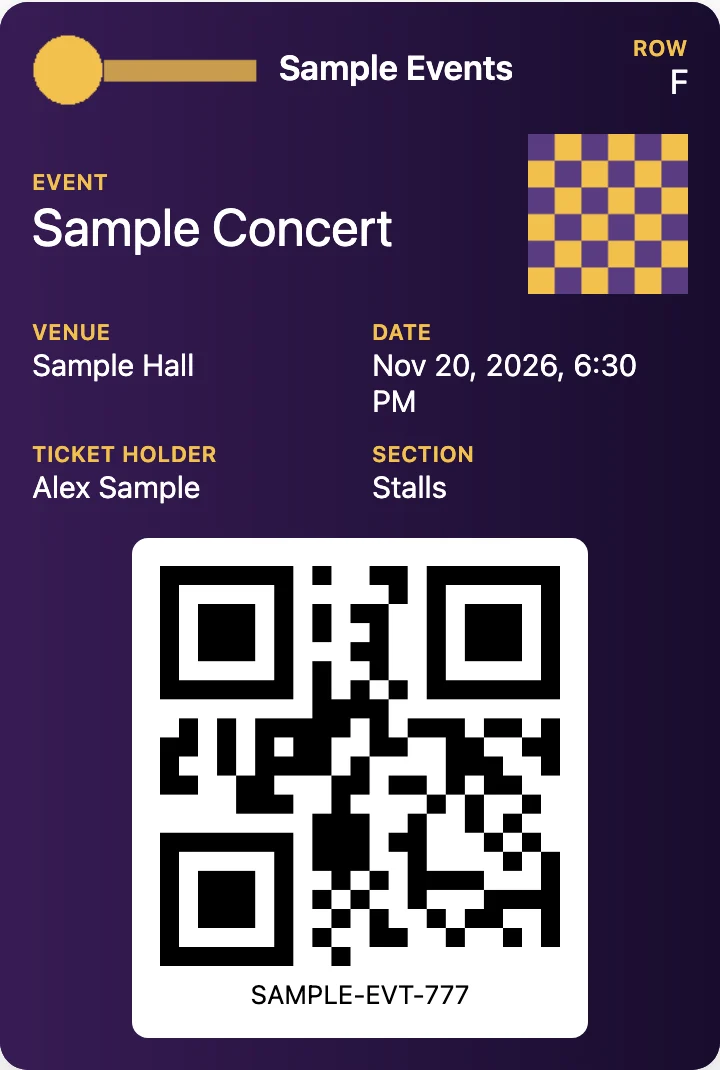
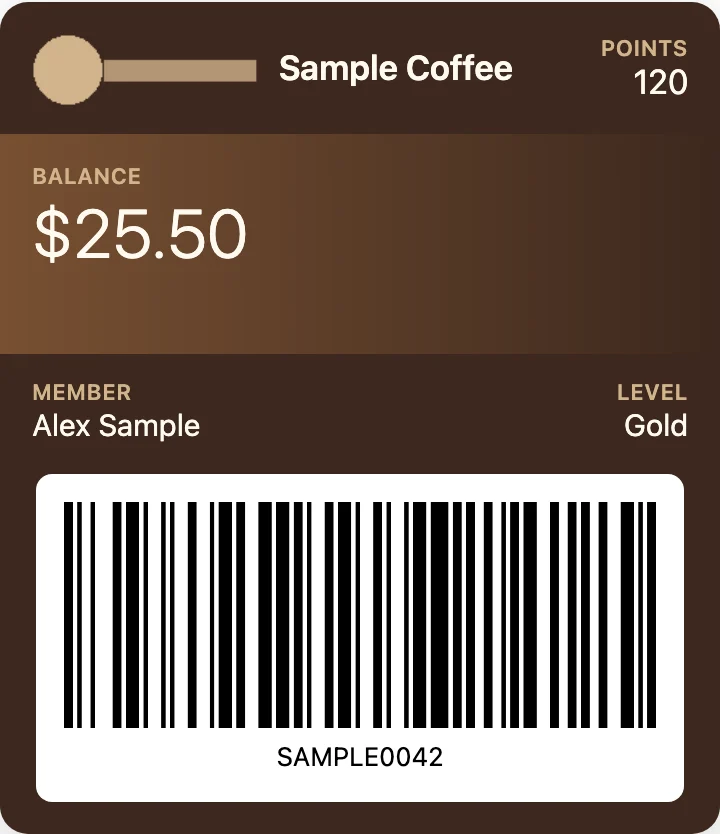
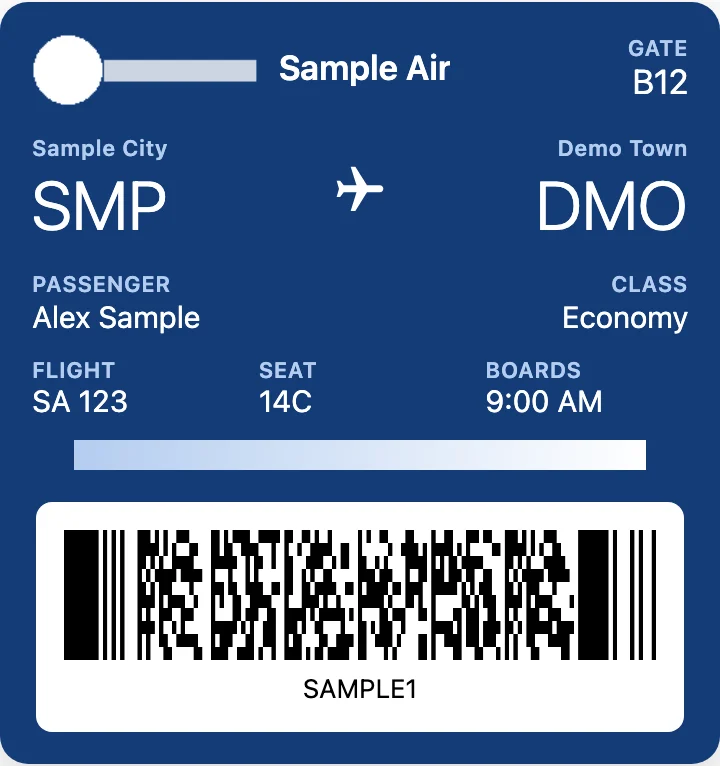
Sample event ticket from a .pkpass file shown in a browser on Android, with its barcodeSample store loyalty card from a .pkpass file viewed on a Windows PC, with its barcodeSample boarding pass opened from a .pkpass file in PKPASS Viewer, with flight details and a PDF417 barcode
A sample boarding pass .pkpass file opened in this viewer (made-up data).

What you can do with the opened pass

  • Getting through a gate or door. Show the barcode on screen, or show the saved PNG.
  • Checking details before you travel. Confirm the flight, seat, time, venue or membership number without hunting for the original booking.
  • Keeping an offline copy. The saved PNG stays in your gallery when you have no signal.
  • Printing. Print the PNG if you prefer paper or don’t want to rely on your phone battery.
  • Debugging a pass you built. Developers can see how the fields lay out and check the raw pass.json.
Sample event ticket from a .pkpass file shown in a browser on Android, with its barcodeSample store loyalty card from a .pkpass file viewed on a Windows PC, with its barcode

Export passes to a print-ready PDF

If you need paper copies, the viewer can also put the passes you opened into one PDF: A4 or US Letter, one, two or four passes per page, with the barcode embedded at full resolution so it prints sharp, and the back of each pass if you want it. Like everything else here, the PDF is made in your browser. PDF export is the one paid feature (from US$4.90). Viewing and Save as PNG stay free. Step by step: convert a pkpass file to PDF. Details on the pricing page.

A4 · 4 passes per page · barcode at full resolution

How to open a .pkpass file

  1. Save the attachment. In your email app, download the .pkpass file to your device.
  2. Load it. Drag the file onto the box above, or tap/click it and pick the file.
  3. Check the front of the pass. You’ll see the pass type (boarding pass, event ticket, coupon, store card or generic), its colours, logo and strip images, and the header, primary, secondary and auxiliary fields, such as gate, seat, flight number or member name.
  4. Check the back. The back-of-pass fields usually hold terms, booking references, support contacts or extra instructions.
  5. Use the barcode. If the pass has a barcode (QR, PDF417, Aztec, Code 128 or one of Apple’s other formats), it is shown large enough to scan. Check it with your phone before you rely on it at a gate.
  6. Save it if you want. Save the rendered pass as a PNG image to keep it in your photos, send it to someone, or print it (what the PNG contains).

If the pass includes a relevant date or an expiration date, that is shown too. If you’re technical, you can also open the raw pass.json to see every field exactly as the issuer wrote it. If the pass includes English translations of its labels, the viewer shows those.

Latest guides

Open a pkpass file on Android

Step by step on Samsung and other Android phones, and what Google Wallet may do with the file.

Open the Android guide

Open a pkpass file on Windows

View a pass on a PC, save it as a PNG and print it.

Open the Windows guide

Convert a pkpass file to PDF

A print-ready A4 or US Letter PDF with one, two or four passes per page.

See the PDF guide

Add a pkpass file to Google Wallet

What Google and Samsung document about adding a pkpass, and how to keep the barcode.

Read the Google Wallet guide

What a pkpass file is

What is inside a .pkpass file: pass.json, images, barcodes and the signature.

Read the file format guide

Open a pkpass file on iPhone and Mac

What Apple documents for adding a pass on iPhone and Mac, and what to try when Add to Apple Wallet never shows.

Open the iPhone and Mac guide

Fix a pkpass file that won’t open

Check the file in your browser, then work through the download, the device and the issuer.

Fix a pkpass that won’t open

Save a pkpass file as a PNG image

Save a pass as a 1080-pixel-wide PNG with its barcode, and what to do for JPG or paper.

Save a pass as PNG

Apple Wallet on Android

There is no Apple Wallet app for Android; open the pass behind an Add to Apple Wallet button in your browser.

Open Apple Wallet passes on Android

Why a .pkpass file won’t open outside an iPhone

Airlines, event organisers, gyms and shops often email tickets and cards as a .pkpass file. That format is built for Apple Wallet and is described in Apple’s Wallet Passes developer documentation. On an iPhone you tap it and it opens. On Android, Windows, ChromeOS or Linux there is often no app set up to open it, so tapping the file may show an error or do nothing useful.

The format is simple to look inside. Apple’s archived Wallet guide on pass creation says:

“To compress the pass, create a ZIP archive of the contents of the pass package.”

— Apple’s archived Wallet guide “Pass Design and Creation”

This viewer opens the file in your browser and shows what is inside: the pass, its barcode, and the details on the back. To learn how the format is built, read what a pkpass file is and what it contains.

What you need to view a pkpass file

  • The .pkpass file. Save the email attachment to your phone or computer first. Opening it straight from the email preview may not work.
  • A modern web browser on Android, Windows, Mac, Linux or ChromeOS.

You don’t need to install anything or create an account, and the viewer is free. The file is unzipped and read on your own device and is never uploaded to a server.

Limits of viewing a pass in the browser

Be aware of these limits before you rely on it at an airport or venue:

  • It does not add the pass to Google Wallet or Apple Wallet. You get a view and an image, not a wallet entry.
  • No live updates. Some passes are set up so the issuer can update them inside a wallet app, for example after a gate change. This viewer only shows what was in the file when you received it. For flights, check the airline’s app, website or departure screens for changes.
  • It can’t tell you whether the pass is still valid. It shows what is in the file. It doesn’t contact the issuer to check if the ticket was cancelled or reissued.
  • Some issuers may not accept a screenshot or printout. They may ask you to show the pass in a wallet app or their own app. Check the issuer’s instructions if you’re unsure.
  • Passes without a visible barcode. Some cards may be designed to be used by tapping the phone on a reader (NFC) rather than by scanning a code. A browser can’t do that, so you’ll see the details but have nothing to scan.
  • Damaged or incomplete files. If the email client or download changed the file, it may not open. Download the attachment again from the original email.
  • It’s built for .pkpass files. A .pkpasses bundle with several passes also works: the viewer lists the passes inside so you can pick one. Other file types are not supported.

How it differs from other ways to open a pkpass file

  • Apple Wallet on iPhone. This is what the format is made for. It stores the pass, can receive updates from the issuer and can bring the pass forward around the relevant time or place. It needs an Apple device. If you have an iPhone, use it.
  • Wallet apps. Some wallet apps can import passes and store them, which is useful if you get passes often. It means installing an app and giving it your files. This viewer only displays the pass; it doesn’t import it anywhere.
  • Renaming the file to .zip. A .pkpass file is a ZIP archive. You can unzip it and read pass.json by hand, but you won’t see a rendered pass or a drawn barcode.
  • The issuer’s own app or website. This is often the most reliable source for an up-to-date pass, and it’s worth checking for travel.

This viewer is for the common case: you have the file, you’re not on an iPhone, and you just need to see it and show the barcode. Step-by-step guides: open a pkpass file on Android and open a pkpass file on Windows. Looking for Google Wallet or Samsung Wallet? Read how to add a pkpass file to Google Wallet. Curious about the format itself? See the pkpass file format reference. Have an iPhone or Mac? Read how to open a pkpass file on iPhone and Mac.

FAQ

Free, no sign-up. The file is read on your device and never uploaded.

Not affiliated with Apple, Google, Samsung or Microsoft. Product names are trademarks of their owners and are used only to describe compatibility.